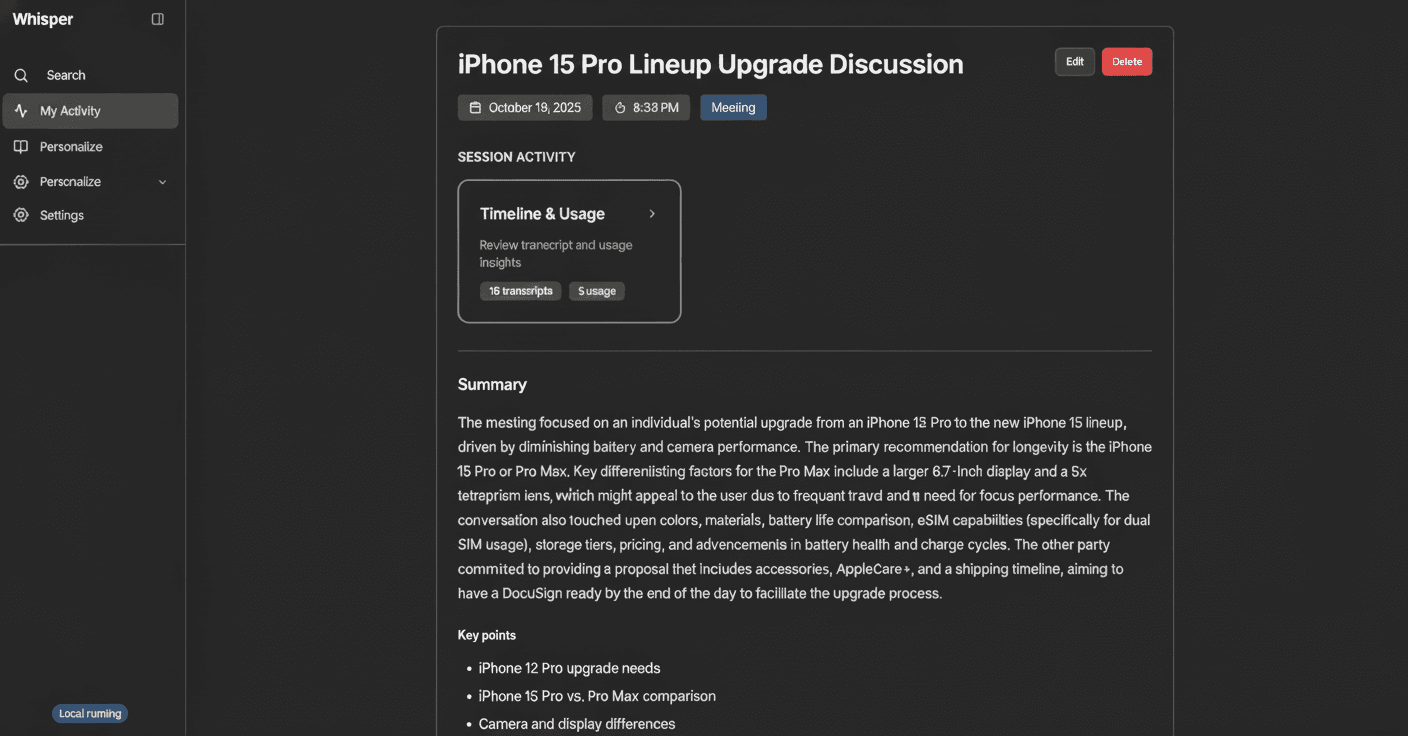
Invisible AI Meeting CopilotPerfect forSales Calls
Whisper App runs as a native desktop app on Mac, Windows, and Linux. It stays hidden from screen capture, transcribes calls on-device, and gives you live AI coaching — no meeting bot, no cloud uploads of your meeting content.
TRUSTED BY PROFESSIONALS ON
 Zoom
Zoom Google Meet
 Microsoft Teams
 Slack
SlackQuick clarification
“Whisper” the speech model, or Whisper the app?
You might be thinking of OpenAI’s Whisper — the open-source speech-to-text model. That’s not us.
Whisper App is a native desktop AI meeting copilot for macOS, Windows, and Linux. It stays invisible during screen sharing through OS-level window exclusion, transcribes calls on-device, and gives you live AI coaching. Meeting content never leaves your machine. Free tier with no credit card. Not affiliated with OpenAI Whisper.
Looking for the speech model?
OpenAI Whisper (open source)
The free speech-to-text model on GitHub. Run it locally, build your own transcription tools.
Need an AI meeting copilot?
Whisper App (desktop assistant)
Invisible during screen share. Real-time coaching, private notes, no bot. Free tier, no credit card.
Whisper App is not affiliated with OpenAI. We’re our own product — desktop-first, privacy-first, built for live meetings.
Works with most of the interview apps
Stealth by Design
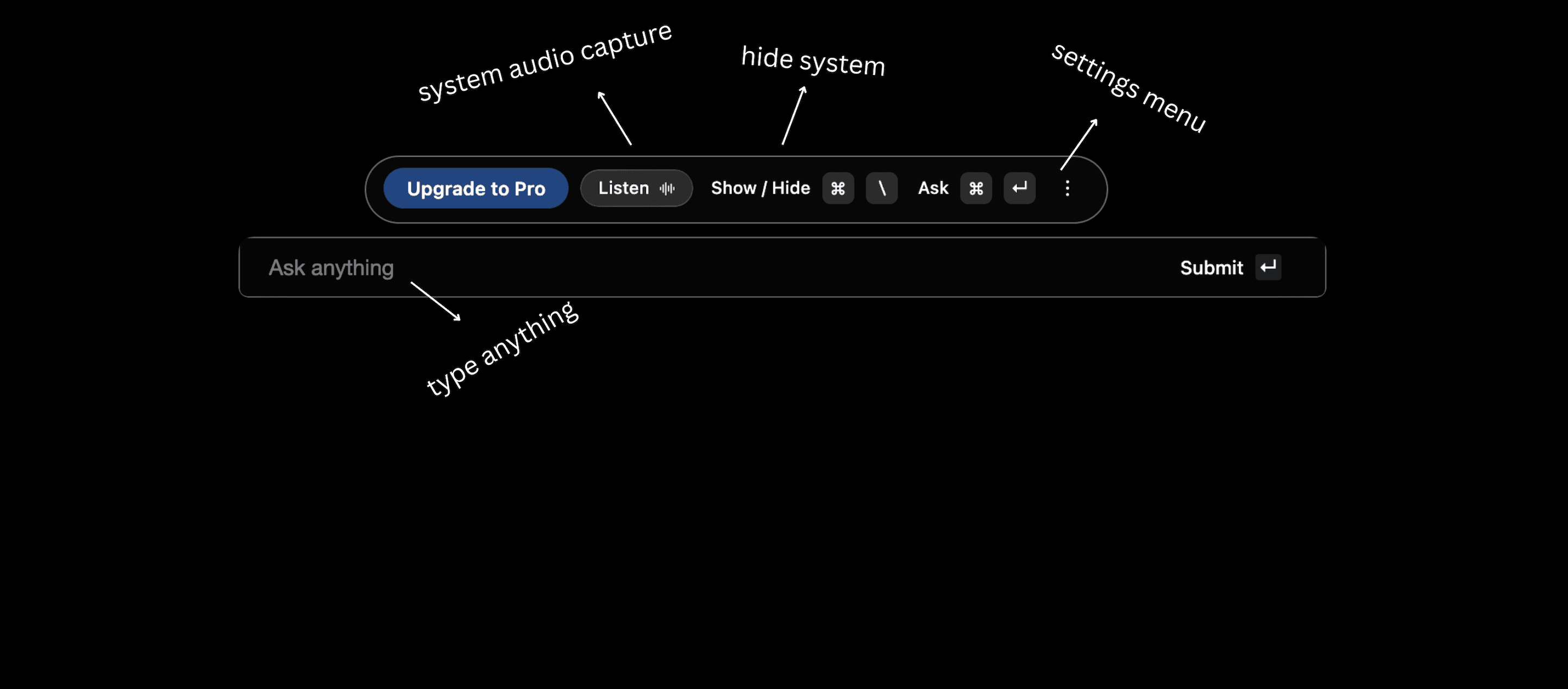
Whisper hears what you hear and sees what you see—completely invisible during screen sharing. Your AI copilot works in the background across Zoom, Teams, Google Meet, and every platform you use.


Add error handling with try/catch block.
Handle loading states properly.
Real-time transcription
Speech-to-Text Integration
Convert spoken words into accurate text instantly with advanced AI-powered speech recognition.

After every call
Turn conversations into clarity
Whisper auto-generates smart meeting notes, action items, and ready-to-send follow-ups.